About the The Crow and the Fox: A Lesson in Vanity
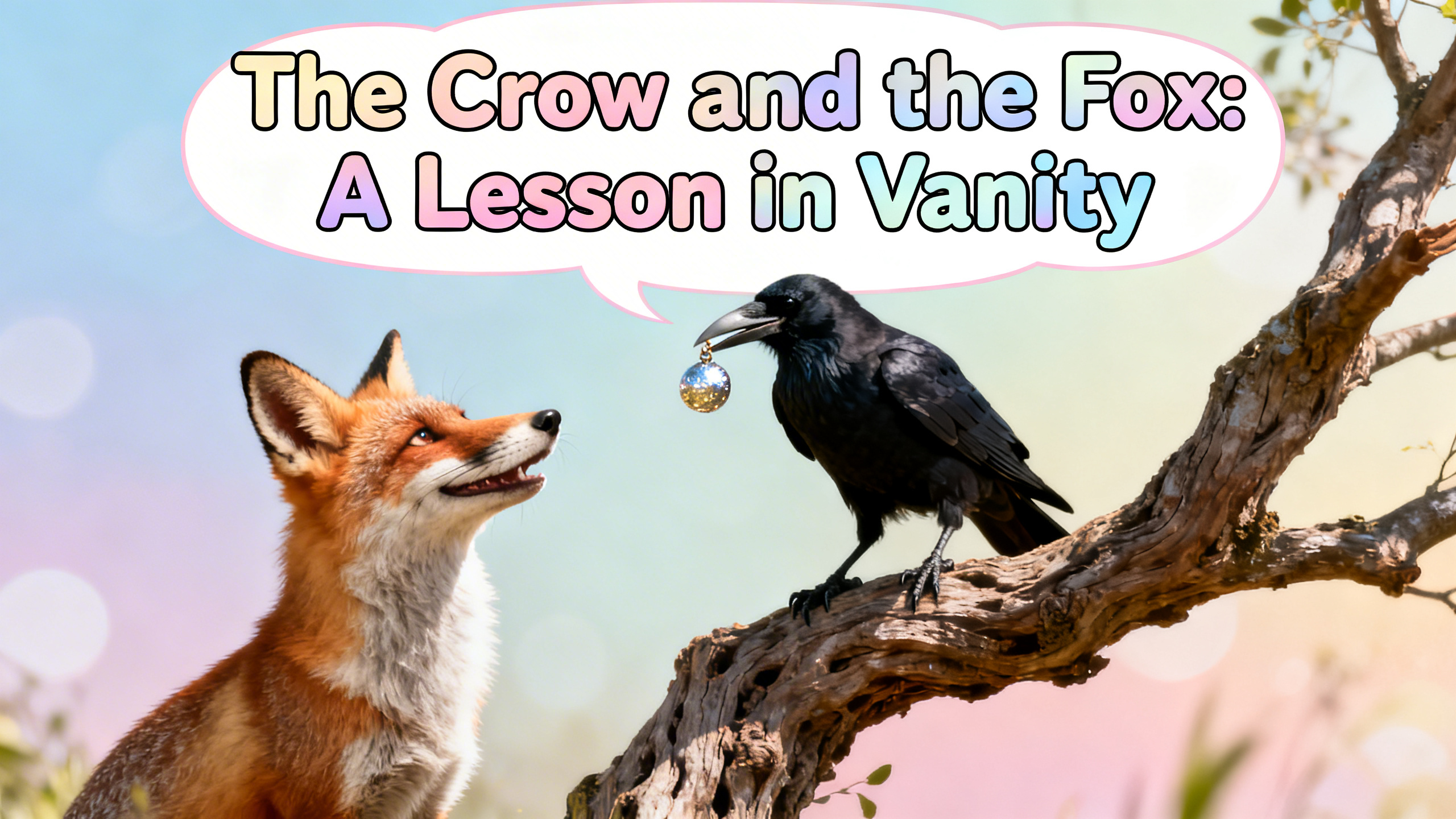
Corvus the crow has found the perfect apple, a prize worth savoring. But when Reynard the fox appears, his cunning words threaten to steal Corvus's hard-won treasure. Will flattery be enough to outsmart the clever crow, or will Corvus see through the deception? Watch to find out if wisdom or vanity prevails in this classic tale!
Video script prompt
One crisp morning, a clever crow found a shiny, red apple in the forest. Excited, it picked up the apple and flew to the top of a tall oak tree, eager to enjoy it in peace. The forest below buzzed with birds and rustling leaves, but the crow ignored everything, proud of its tasty find. Below, a sly fox was prowling. Its sharp eyes spotted the crow holding the apple. “Ah, what a beautiful bird!” thought the fox, licking its lips. An idea formed in its cunning mind. “Good morning, lovely crow!” called the fox. “Your feathers are so shiny, and I’ve heard your voice is the most beautiful in the forest. Would you sing a little song for me?” The crow’s pride swelled. No one had ever praised it so highly. Wanting to show off, it opened its beak to caw melodiously. Suddenly, the apple slipped from the crow’s claws! The fox leapt forward, snatched the apple, and grinned. “Thank you for the delicious treat!” he said slyly before disappearing into the trees. The crow flapped its wings in frustration, realizing it had been tricked. Hungry and embarrassed, it settled on the branch, thinking carefully. From that day on, the crow became wiser. It learned that vanity could cloud judgment and that flattery was often a trap. The crow also started collecting food carefully, hiding its treasures in safe spots, so that no clever fox—or other tricksters—could ever steal them again.
How to use this Cartoon video template
Template Name: The Crow and the Fox: A Lesson in Vanity
Step 1
Click the "Use Template" button to load the "The Crow and the Fox: A Lesson in Vanity" preset.
Step 2
Review the default settings. This template is pre-configured with the Hailuo 02 model and Realistic style. Click "Run Script" to generate your initial draft.
Step 3
Enter your scene description in the text box. The One-Click engine is powered by Hailuo 02 to interpret complex prompts instantly. Toggle the Directing Modes if you need specific camera movements.
Step 4
Browse the Video Style carousel to pick a look. Ensure your Aspect Ratio is set correctly (16:9) for your target platform.
Step 5
Hit the "Create Video" button. The AI will process your script and style simultaneously to deliver a finished video.
The Crow and the Fox: A Lesson in Vanity Video Template
Start to use this template
Template Specifications
Frequently Asked Questions
What kind of cartoons can I create with Magiclight?
You can create short animated stories, funny clips, and character-driven scenes using Magiclight's cartoon templates. Styles range from classic 2D animation to stylized digital cartoons.
Do I need animation experience to use these templates?
No experience is needed. Magiclight's cartoon templates are pre-built with animations, characters, and backgrounds, so you can create videos in minutes.
Can I customize characters and scenes in cartoon templates?
Yes! You can edit characters, change colors, add props, and adjust backgrounds to fit your story.
Are cartoon templates suitable for social media posts?
Absolutely. They are optimized for TikTok, Instagram Reels, YouTube Shorts, and more.
Can I add my own voiceovers to cartoon videos?
Yes. Magiclight allows you to add voiceovers, music, or sound effects to bring your cartoon to life.
You might also like
these trending designs