About the Parrot Shop
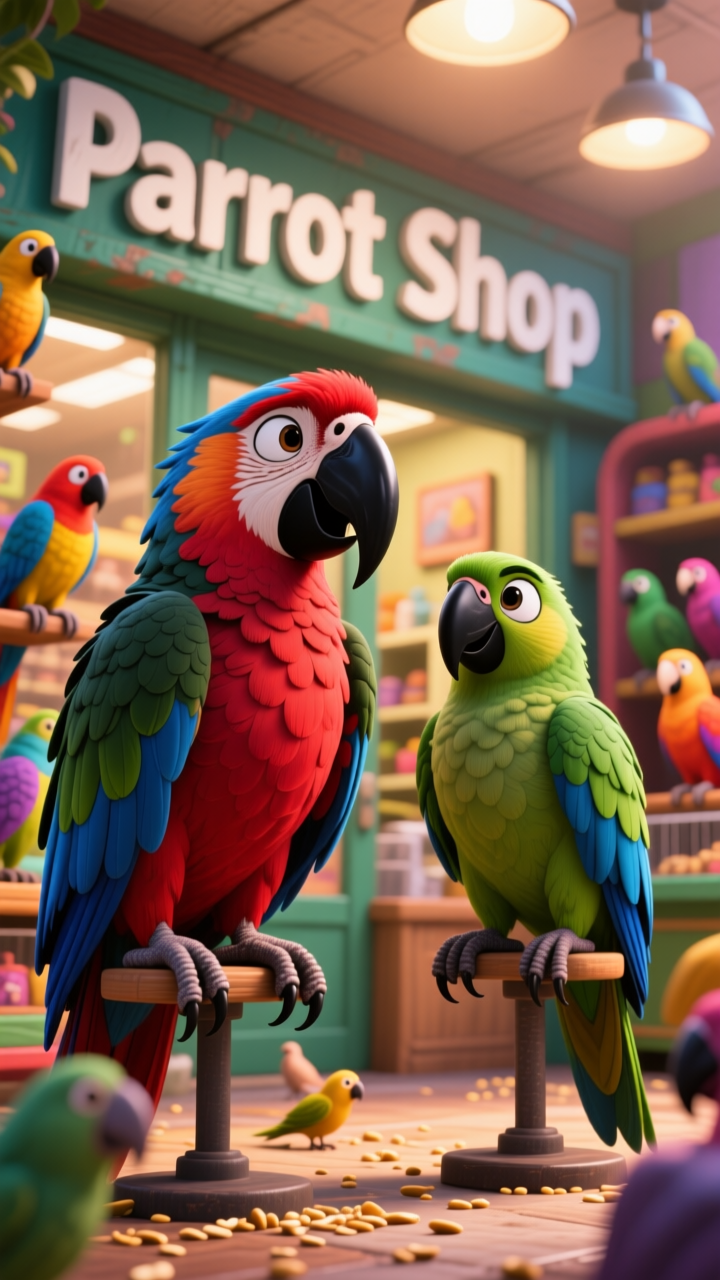
Ever wonder what it's like inside a pet shop? Lily's about to find out, but these aren't your average parrots. One critiques your fashion sense, another whines about its gourmet birdseed, but it's the quiet one that really catches her eye. Why do the other parrots call him 'The Boss?' What's his secret?
Video script prompt
Lily walks into a pet shop filled with colorful, squawking parrots. @Lily: How much is this parrot? @Shopkeeper: Five thousand bucks… and it critiques your outfit. Parrots hop around like they’re auditioning for a talent show. @Lily: And this one? @Shopkeeper: One hundred bucks… but all it does is complain about its food. A quiet parrot stares at Lily like it’s plotting world domination. @Lily: How much is this one? @Shopkeeper: Fifty bucks. @Lily: Does it talk? @Shopkeeper: Nope… but all the other parrots call it “The Boss.” Lily stares at the parrots and bursts out laughing as they squawk mischievously.
How to use this Cartoon video template
Template Name: Parrot Shop
Step 1
Click the "Use Template" button to load the "Parrot Shop" preset.
Step 2
Review the default settings. This template is pre-configured with the Midjourney V7 model and Pixar style. Click "Run Script" to generate your initial draft.
Step 3
Enter your scene description in the text box. The One-Click engine is powered by Midjourney V7 to interpret complex prompts instantly. Toggle the Directing Modes if you need specific camera movements.
Step 4
Browse the Video Style carousel to pick a look. Ensure your Aspect Ratio is set correctly (9:16) for your target platform.
Step 5
Hit the "Create Video" button. The AI will process your script and style simultaneously to deliver a finished video.
Parrot Shop Video Template
Start to use this template
Template Specifications
Frequently Asked Questions
What kind of cartoons can I create with Magiclight?
You can create short animated stories, funny clips, and character-driven scenes using Magiclight's cartoon templates. Styles range from classic 2D animation to stylized digital cartoons.
Do I need animation experience to use these templates?
No experience is needed. Magiclight's cartoon templates are pre-built with animations, characters, and backgrounds, so you can create videos in minutes.
Can I customize characters and scenes in cartoon templates?
Yes! You can edit characters, change colors, add props, and adjust backgrounds to fit your story.
Are cartoon templates suitable for social media posts?
Absolutely. They are optimized for TikTok, Instagram Reels, YouTube Shorts, and more.
Can I add my own voiceovers to cartoon videos?
Yes. Magiclight allows you to add voiceovers, music, or sound effects to bring your cartoon to life.
You might also like
these trending designs